Repeat Orders
Online Store
- Payment Format
- Checkout or plugin
- Operational Goal
- Place crypto inside the existing buying journey.
Crypto Payment Collection
Choose the collection method that fits the sale: wallet transfer, payment link, invoice, button, plugin, or API. Then connect the request to an order record.
What to Know
Payment Method Selector
Add crypto to a customer buying flow.
A structured purchase journey on a website or product.Send a direct payment request without building a full checkout.
One-off sales, remote orders, creators, and service work.Connect a payment request to a specific order or client.
Agencies, freelancers, B2B services, and custom orders.Connect a supported store flow with less custom development.
Ecommerce teams using a plugin-based setup.Build a payment flow around your own product experience.
Platforms and technical teams that need more control.Merchant Payment Workflow
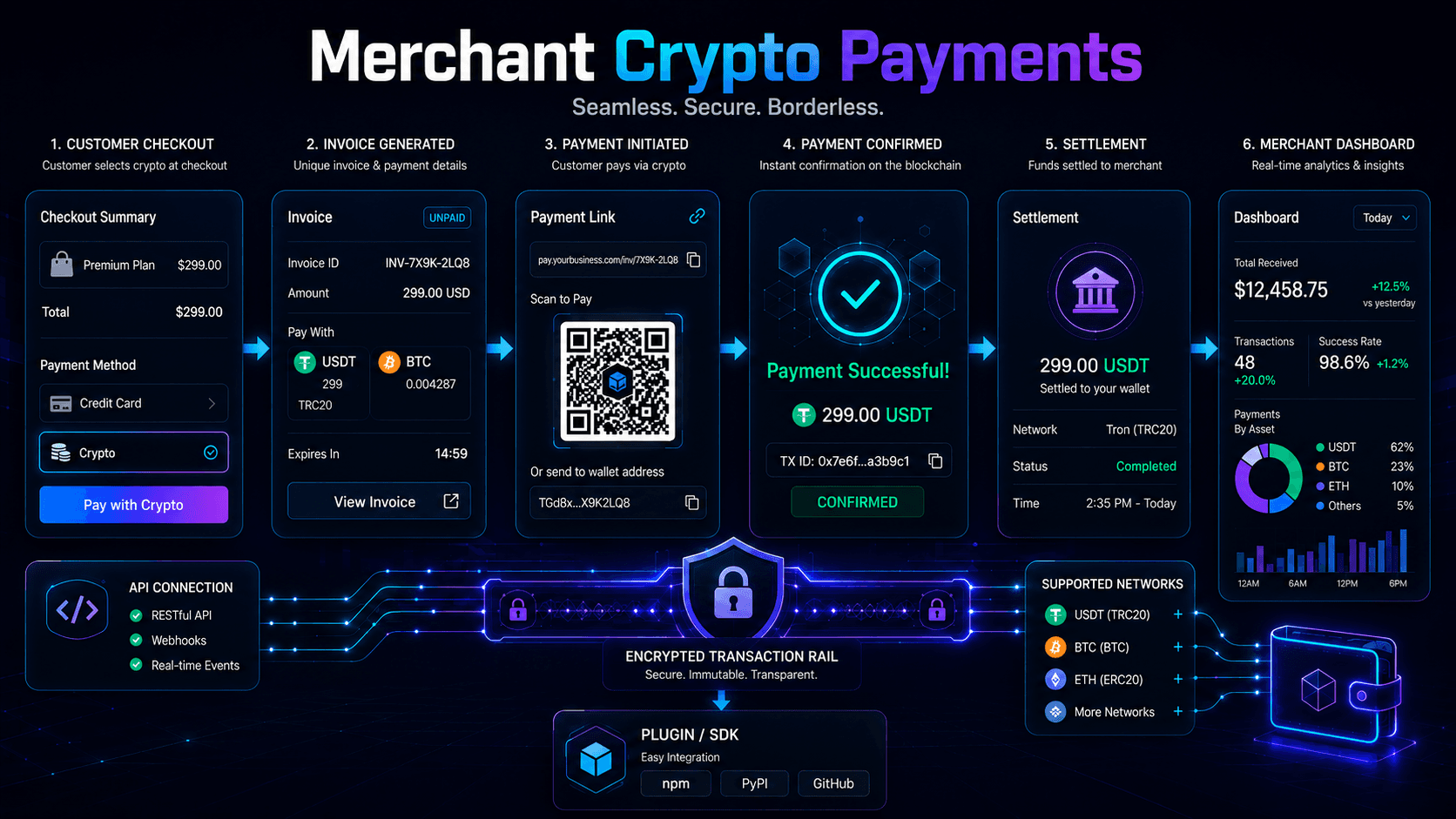
Customer
The buyer selects crypto alongside the payment choices you already provide.
Request
Your checkout, link, invoice, plugin, or API flow creates the payment request.
Gateway
The gateway coordinates the crypto payment flow and payment status.
Merchant
Your team checks the status, keeps the order record, and completes the customer flow.
Featured Payment Partner
NOWPayments is A Crypto Box's featured crypto payment gateway for merchants. It connects businesses to payment links, invoices, checkout widgets, plugins, and API-led payment flows.
Business Use-Case Selector
Repeat Orders
Client Billing
Direct Sales
Product Flow
Payment Method Comparison
| Business Need | Method | Build Level | Merchant Operation |
|---|---|---|---|
| Fastest way to create a direct request | Payment link | Low | Share, confirm, and record each request. |
| A client or order document | Invoice | Low | Match the payment to the client and order. |
| Crypto inside a buying journey | Checkout | Medium | Connect payment status to order handling. |
| A plugin-based store setup | Plugin | Medium | Configure the integration and test the order flow. |
| A custom product experience | API | Technical | Own the interface, status logic, and records. |
Setup & Operations Guides
Security & Transaction Checks
Start accepting crypto
Start with the payment format customers need, then connect the request, payment status, and merchant record through NOWPayments.
A payment link or invoice can be the most direct starting format when you do not need a full store checkout. Choose the format that matches how the customer already buys from you.
Use a checkout flow or plugin when crypto needs to sit inside a structured online purchase journey with an order, payment status, and fulfilment step.
Use the API when payment creation, status handling, and fulfilment must become part of the product experience.
NOWPayments is the featured crypto payment gateway for payment links, invoices, payment buttons, plugins, and API-led payment flows.
Keep the order or invoice reference, payment status, transaction reference, customer support history, and payment details needed for reconciliation.